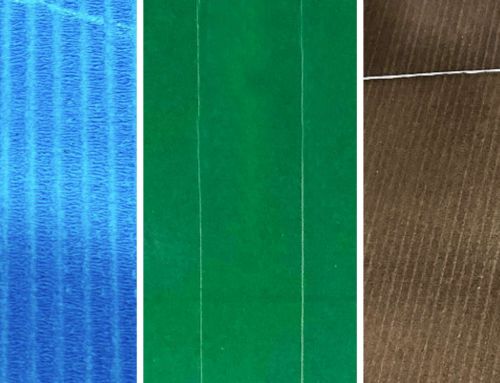
Spitting – Print issues in flexographic print
What is Spitting?
Spitting in flexographic printing refers to the uncontrolled ejection of small droplets of ink from the anilox roll or printing plate during the print process. These droplets land randomly on the substrate, creating unwanted, tiny ink spots outside of the intended print area.
Spitting can appear as a fine mist of dots or more noticeable splatters, uneven colour density, significantly impacting print quality and leading to rejects and loss of productivity.
Common Causes of Spitting
Here are the a few top tips for identifying and preventing spitting in your flexographic printing process:
- Ink Related Issues
- When ink viscosity is too low, the ink becomes thin and is more prone to atomising and spitting.
- Ink surface tension can be an issue. Incorrect additives or contamination can lead to an unstable ink film.
- Excessive foam in the ink can cause air bubbles that can burst and eject ink droplets. Air bubbles can also form from loose fittings, damaged hoses etc., allowing air into the ink circulation system
- Anilox Roll Related Issues
- If anilox cell volume is too high or line screen too coarse for the ink and substrate. This can lead to over-inking and excess ink being thrown off.
- Poor maintained and worn, dirty or damaged anilox roll. Clogged, contaminated, scratched anilox cells will disrupt ink transfer and can cause spitting.
- Doctor Blade / Chamber Related Issues
- Incorrect doctor blade angle or pressure. Excessive pressure can cause ink to be squeezed out, while too little can leave too much ink on the anilox.
- Check doctor blades for wear and tear. Blades with nicks, burrs, or excessive wear will not function effectively.
- Insufficient or excessive lubrication in the doctor blade chamber system (for enclosed chambers).
- Plate Related Issues
- Poorly maintained printing plates can become dirty or contaminated. Dried ink, dust, or debris on the plate surface can affect the pickup and deposit ink droplets.
- Use of aggressive, incompatible solvents and cleaning solutions, or excessive heat, can affect the printing plates. This can lead to plates swelling leading to uneven ink transfer and spitting.
- Insufficient or excessive plate sticky back/mounting tape. Uneven plate mounting can lead to vibration and ink slinging.
- Worn or damaged plates. Areas of wear or damage can cause inconsistent ink transfer and spitting.
- Press Setup & Environmental Factors
- Excessive press speed can increase centrifugal force, leading to ink being thrown off, causing spitting.
- Worn components can cause excessive vibration, affecting ink spread.
- Fluctuations in environmental conditions (temperature, humidity) can affect ink viscosity and drying, which can have an influence on ink transfer onto finished product.
Preventative Strategies:
Ink Management
Consult with your ink supplier and discuss what inks are suitable for your print application. Understand if any defoamers or wetting agents are required. Ensure ink is free from contamination.
The viscosity of ink plays a crucial part in print quality. Viscosity should be checked before and during a print run, as variable factors, such as temperature, can influence and change viscosity.
Maintain hoses and fittings within the ink circulation system in good condition, to avoid air entering the system.
To avoid ink drying too quickly, check drying conditions (reduce air temperature or flow). Consider using a slower-drying solvent if appropriate for your ink type. Ensure good house-keeping and regular cleaning of your anilox, stereos and print stations during and between print runs.
Anilox Rolls
Check best anilox cell configuration to suit your print requirements. Consider using an anilox with a lower cell volume or a higher line screen for finer detail and reduced ink laydown.
It is imperative that anilox rolls are cleaned daily and regularly checked for wear and damage. Anilox cells need to be free of dried ink, dirt and contaminates to ensure they function at peak performance. Us
Use appropriate cleaning solutions specifically developed for anilox rolls. Where needed repair and replace anilox if worn or damaged.
Doctor Blade / Chamber Related Issues
Check doctor blades are correctly fitted within the chamber and adjust doctor blade angle and pressure according to manufacturer recommendations and print job requirements.
Understand and use the correct doctor blade. There are various doctor blades available: steel, gold, or plastic, all have distinct attributes depending upon your machine, operations, print quality needed and type of printing jobs.
Keep blades clean of dried ink and dirt. Check for blockages or leaks and ensure proper ink flow and pressure within the chamber.
Printing Plates (Stereos) Issues
Clean printing plates after use and store correctly. Use suitable plate cleaning solutions and either a specially designed stereo cleaning machine (using appropriate cleaning solution) or by hand using clean, soft brushes or wipes to avoid damage.
Ensure plates are mounted evenly, using correct mounting tape. Check they are free of air bubble or creases. Monitor and control drying temperatures to maintain plates in good condition.
Maintain plates in good condition, as worm or damaged plates can cause inconsistent ink transfer and spitting. Replace damaged or worn plates immediately.
Press Setup and Environmental Factors
Check and monitor press speed if other solutions fail, or review ink viscosity and anilox cell volume.
Maintain press and regularly check bearings and other moving parts are not worn or causing excessive vibration.
Monitor and maintain a stable, controlled environmental, Eg: temperature and humidity, in the pressroom. It is also important to have adequate ventilation to remove excessive heat and vapors within the print environment.
Print Tech Solutions: Where Partnership Meets Print Excellence
We’re here to help you
At Print Tech Solutions, we are committed to providing our customers with the right cleaning solutions, knowledge and resources necessary to achieve consistent, high-quality print results.
With over 20 years of experience, we work with our customers to implement the best practices to minimise print issues and maintain anilox rollers and core print components in top condition.
Understanding causes and practices to avoid spitting, is valuable skills, to enable your print operators maintain consistent print quality, minimise waste, and enhance overall productivity.
We hope this brief guide serves as a valuable resource for your flexographic printing operations.
In need of support for your anilox cleaning and maintenance?
Book your anilox audit with our team today – Contact our team
Making time for the correct cleaning, maintenance and set-up is crucial to your business productivity.
Safe and effective cleaning solutions to maintain valuable anilox rolls for high-quality print. Cleaning solutions you can trust