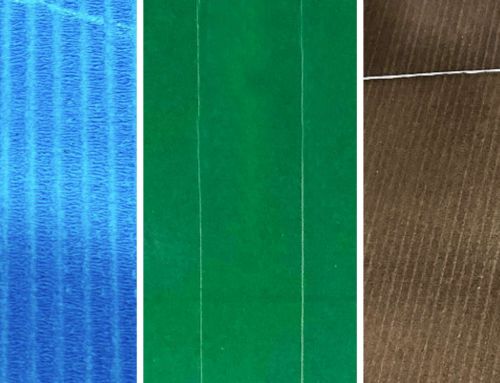
Score Lines on Your Print Will Cost Your Business
A score line on your print run is never good. This will instantly result in print downtime, material and ink wastage and re-run of the print job. Not a process any print business wants to deal with.
Scoring can be prevented or at least reduce the consequence of this, by instigating regular cleaning and maintenance procedures of your anilox rollers.
Scoring can occur due to dried ink forming on your anilox roller, or when a fragment of metal, from a doctor blade becomes trapped between the anilox surface and the blade.
When the anilox roller rotates any trapped ink or metal will score around the anilox circumference. This in turns destroys the row of cells and transfers onto the finish of the printed product. It will appear as a darker line of colour through the print.
The consequence of a score line is print rejects. Avoiding score lines will reduce print rejects and save your business resource and money.
Cause of Scoring – Dried Ink
Deterioration in Anilox Roller Condition: Dried ink can build up above and around the print unit. Particles can break loose and become trapped between the roller surface and the blade, resulting in a circumferential damage to the cells.
Monitoring and implementing the correct care and maintenance of the anilox roller, will in the long term save your business time and money.
Inspecting anilox rollers regularly is essential, a daily, weekly and monthly cleaning regime is a must.
Unnecessary Anilox Costs
The repair of an anilox roller comes at significant costs to your business. It’s not just the cost of the refurbishment, but also the cost and inconvenience of removing the anilox rollers from the print unit. This is in addition to your scheduled press downtime, causing significant cost and a disruption to your print run schedules.
Repairing anilox roller can potentially impact your print capability for several weeks.
At the various stages, whether cleaning on press or off, there are cleaning solutions (AquaSol or UltraSol) that are specifically formulated to safely and effectively care for and clean your anilox rollers.
Causes of Scoring – Metal Fragments
Doctor Blade Wear-and-Tear: Over time the doctor blade will wear. Eventually small particles of metal can enter the inking system. If they aren’t filtered out quickly, they will become lodged in between the blade and the anilox roller. The metal will then begin to score the outer surface of the anilox, damaging the delicate cells.
Doctor Blade Installation: To avoid unnecessary scoring, it is essential that the doctor blade is positioned correctly. Incorrectly fitted doctor blade, can exert too much pressure on the anilox. This will result in wear and breakage of the blade and scoring to occur.
To help prevent metal fragments from entering the system, magnets can be fitted to attract and filter metal fragments before they cause any scoring to the anilox roller.
The incorrect set up of the doctor blade can cause premature and excessive wear and tear. It is critical that the doctor blade is set up correctly. Ideally the doctor blade should just kiss the anilox roll.
As with many products, there are less expensive doctor blades available, but generally these are of sub-standard quality and will wear quicker or break easier, producing metal fragments.

Score line on anilox roller

Cell of an anilox roller, damaged by scoring
To Prevent and Minimise Scoring, Remember to:
- Keep anilox rollers and surrounding areas clean: create strict cleaning schedules and use the appropriate cleaning solutions, to prevent damage and eliminate the build-up of dried ink.
- Regularly inspect anilox rollers: being pro-active to audit their condition, will enable action to be taken before damage or print deterioration starts.
- Repair or replace damaged anilox: damaged or worn anilox rollers will contribute to reduced print quality and increased print rejects.
- Use a good quality doctor blade: improved quality will provide stronger blade, providing longer life.
- Fit magnets: fragments of metal from doctor blades will be filtered before scoring the anilox cells.
- Ensure doctor blade set up is correct: too much pressure will wear the anilox roller and again cause damage with metal fragments entering the system.
- Set regular audits of your print process: this should involve checking the complete print system, including anilox rollers and its cell structure, doctor blades, end seals, ink pipes and chambers and the general print process.
Maintaining Consistent High-Quality Print
The over-riding aspect is good house-keeping and maintenance procedures. Making this part of your process and equipping your operators with the correct equipment, training and knowledge will pay dividends to your operational bottom-line.
Maintaining good quality print will result in reduced print rejects, high productivity and control of your costs.
We’re here to help you
Print Tech Solutions can provide guidance and the supply of safe, effective and appropriate cleaning solutions, and support you with reducing print defects that you are experiencing.
Our aim is to reduce your print issues, improve production efficiencies, so you can produce consistent premium print.
To discuss our range of cleaning solutions, book your site assessment, or discuss your print issues contact us now.
T: 0161 366 6286 | E: info@print-techsolutions.co.uk