Watermarks – Print Issues in Flexographic Print
Understanding and Avoiding Watermarks on Anilox Rolls: A Guide for Flexographic Print Operators
At Print Tech Solutions, we understand the numerous variables that need to be understood, monitored and actioned by a print operator, in order to deliver consistent top-quality print.
With an array of variables, it is essential print operators have the knowledge to identify print problems quickly to avoid or reduce print rejects or production downtime.
Common Print Issues
One common challenge faced by flexographic print operators is the appearance of watermarks on anilox rolls, leading to noticeable print defects and production inefficiencies. This article aims to provide a brief overview and understanding of watermarks, their causes, and practical strategies for prevention, ensuring you achieve optimal print results.
What are Watermarks?
Watermarks, in the context of anilox rolls, are not the intentional security features we see on paper. Instead, they are marks formed on the anilox, due to excess water.
Water left on an anilox, will be a breeding ground for ink residue. As water evaporates, these contaminants become watermarks on the anilox roll.
During the print process the watermarks will be repeated and transferred onto the printed substrate. These watermarks directly reflect imperfections or inconsistencies on the anilox roll surface.
Visualising the Issue:
The image below illustrates the watermark formation on an anilox. A large blob with streaking lines running around the anilox will appear, which replicates the dripping of excess water around the anilox and the blob being the resting place, where the water forms.

Flexographic Print Issues – Watermarks on Anilox Roller
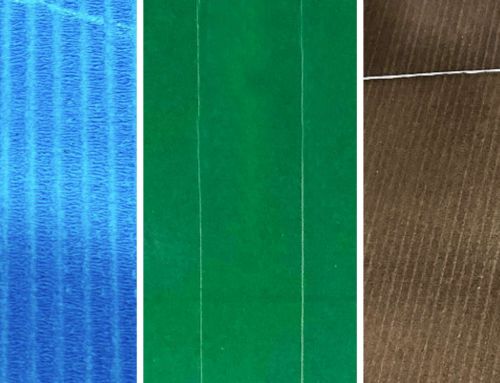
These formation will be replicated in the finished print, as illustrated below. Obviously, this is not acceptable for premium print.

Print Issues – Watermarks on Print
Impact on Print Quality and Productivity:
The presence of watermarks significantly compromises print quality, leading to:
- Inconsistent Solid Ink Coverage: Variations in ink transfer result in uneven colour density, affecting the overall visual appearance of the print.
- Steaking Appearance: The watermark lines will be replicated onto the print substrate.
- Increased Print Rejects: Substandard prints lead to higher waste, not just in board, but valuable ink wastage too, impacting profitability.
- Production Downtime: Troubleshooting and resolving watermark issues can consume valuable production time, reducing overall output.
- Customer Dissatisfaction: Inconsistent print quality can damage your reputation and lead to lost business.
Causes of Watermarks:
Understanding the root causes of watermarks is crucial for effective prevention.
- Excess Water
- Using only water to washdown and clean anilox rolls, will lead to a build-up of dried ink, varnish, and dirt. Water alone will not remove the contaminates and water that isn’t wiped away properly will form droplets, leading to watermarks.
- Anilox Cell Contamination:
- Water alone will not remove dried ink, varnish, or dirt, which will lead to clogged cells, which will restrict ink transfer.
- Press Vibration:
- Excessive vibration can cause uneven ink transfer, and the vibration pattern might create a watermark like effect. This is also known as ‘gear marks’.
Prevention Strategies:
To minimise the occurrence of watermarks, implement the following best practices:
Implement a Rigorous Anilox Cleaning:
- Avoid excess moisture. Wipe down anilox rolls after washdown to remove excess water and avoid droplets forming.
- Do use a cleaning solution that has been specifically formulated for use on anilox rolls, such as AquaSol or UltraSol, to safely remove and clean anilox of dried ink, varnish and dirt.
- Implement a regular and appropriate cleaning regime. Washdown after every print run or at least once a day.
- Utilise automatic drying systems, if available. These systems will dry any excess water and prevent water droplet formation.
- Inspect anilox rolls regularly for any signs of contamination or damage.
Dried ink will clog up your anilox cells and using just water won’t dislodge it.
Left to manifest, ink transfer will be affected, which will lead to the deterioration of anilox condition and subsequently impact your productivity print quality and business profits.
Print Tech Solutions: Your Partner in Print Excellence
At Print Tech Solutions, we are committed to providing our customers with the right cleaning solutions, knowledge and resources necessary to achieve consistent, high-quality print results.
With many years of experience, we work with our customers to avoid implement best-practices to minimise print issues and maintain anilox rolls and core components in top condition.
By understanding the causes of watermarks and implementing effective prevention strategies, you can help maintain consistent print quality, reduce waste, and improve overall productivity.
Making time for the correct cleaning and maintenance is crucial.
We hope this brief guide serves as a valuable resource for your flexographic printing operations.
What to gain from our on-going support. Contact our team.